
Digital business cards vs paper business cards: which should you use?

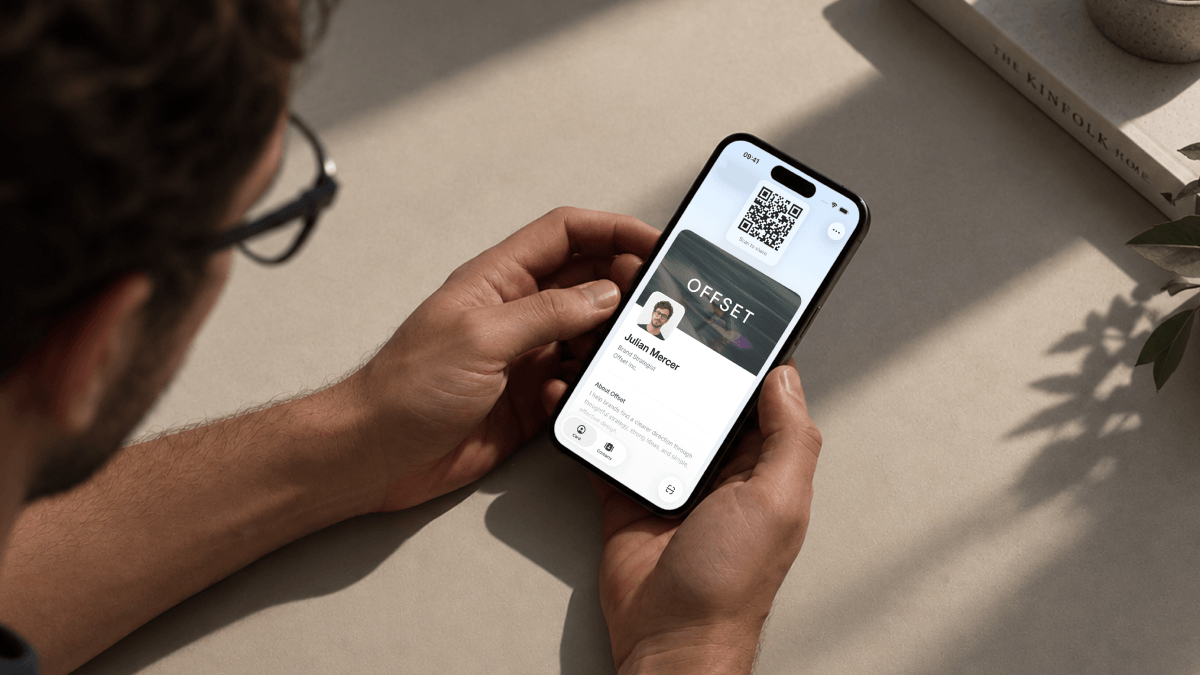
Digital business cards give you more ways to share your details, update your profile without reprinting, and keep contacts organized after a meeting. If you want a card that stays useful as your role, company, or team changes, we recommend going digital.
With Tapify, you can share your card, invite the other person to send their details back, and manage employee cards from one workspace. This guide compares digital and paper business cards through those everyday tasks, so you can choose a setup that works for you and your team.
Key takeaways
- Share your Tapify card by QR, link, Wallet, or a reusable NFC card.
- Update your digital profile without ordering another batch of printed cards.
- Keep received contact details and conversation notes together for more relevant follow-up.
- Use Tapify Teams to manage employee cards and company branding centrally.
Digital vs paper business cards at a glance
A paper business card gives someone a printed set of details. A digital business card gives them an online profile you can maintain and share in different settings. The comparison below uses Tapify to show what that looks like in practice.
| What you need to do | Digital business card with Tapify | Paper business card |
|---|---|---|
| Share your details | Show a QR code, send a link, use Wallet, or tap an optional NFC card. | Hand over or leave a printed card. |
| Update your information | Edit the online profile and keep using the same link or NFC card. | Update the design and print replacement cards. |
| Receive someone's details | Invite them to submit their contact information through your profile. | Exchange cards, then record the received details. |
| Manage employee cards | Apply shared branding and manage member details and editing permissions centrally. | Coordinate designs, orders, distribution, and stock. |
| Plan your spending | Start free, then choose paid features or optional NFC hardware as needed. | Budget for printing and new batches when stock or details change. |
| Keep a physical card | Carry an NFC card and reuse it across conversations. | Give each person a card they can take away. |
Digital has a clear advantage when you want your card to keep up with your work. You can change a job title, prepare a new employee's profile, or share your details after a video call without creating another print order. Paper remains useful for a physical leave-behind, and you can keep that option alongside your digital card.
Why digital works better in everyday networking
Share your card wherever the conversation happens
At an event, show your QR code or offer your NFC card. After an online introduction, send your card link with your follow-up message. You use the same profile in both situations, with the details you want the other person to have.
With Tapify, the recipient opens your digital business card in a browser. They don't need to download Tapify or create an account to view it. They can save your contact details from the profile or send their own information back through the contact form.
That makes the handoff practical for the person you're meeting. They can open the card on the device where they keep their contacts, rather than finding time to type your name, email address, and number from paper later. Our guide to what a digital business card is and how it works explains the experience in more detail.
You can also add your Tapify card to Apple Wallet or Google Wallet, keeping its QR code within reach when someone asks for your details. Choose the sharing method you enjoy using. Having your card ready matters more than using a particular piece of hardware.
Keep your online profile current without reprinting
A printed card contains the information you approved when you placed the order. If your phone number or role changes, the next batch needs a new design. A digital profile lets you make that change directly.
Update your details in Tapify and the next person who opens your profile sees the revised information. You keep the same profile link. If you use an assigned Tapify NFC card, that card continues to open the updated profile too.
Consider a company rebrand. New colors, a new logo, and updated employee titles can create a substantial print coordination task. Digital cards let the company update its online presentation while employees keep sharing their profiles. The benefit is control over when your information changes, without waiting for new physical stock.
Keep a physical card you can use again
Going digital can still include a card you carry. A Tapify NFC card opens your digital profile when the recipient taps it with a compatible phone. You keep the card and use it at your next introduction.
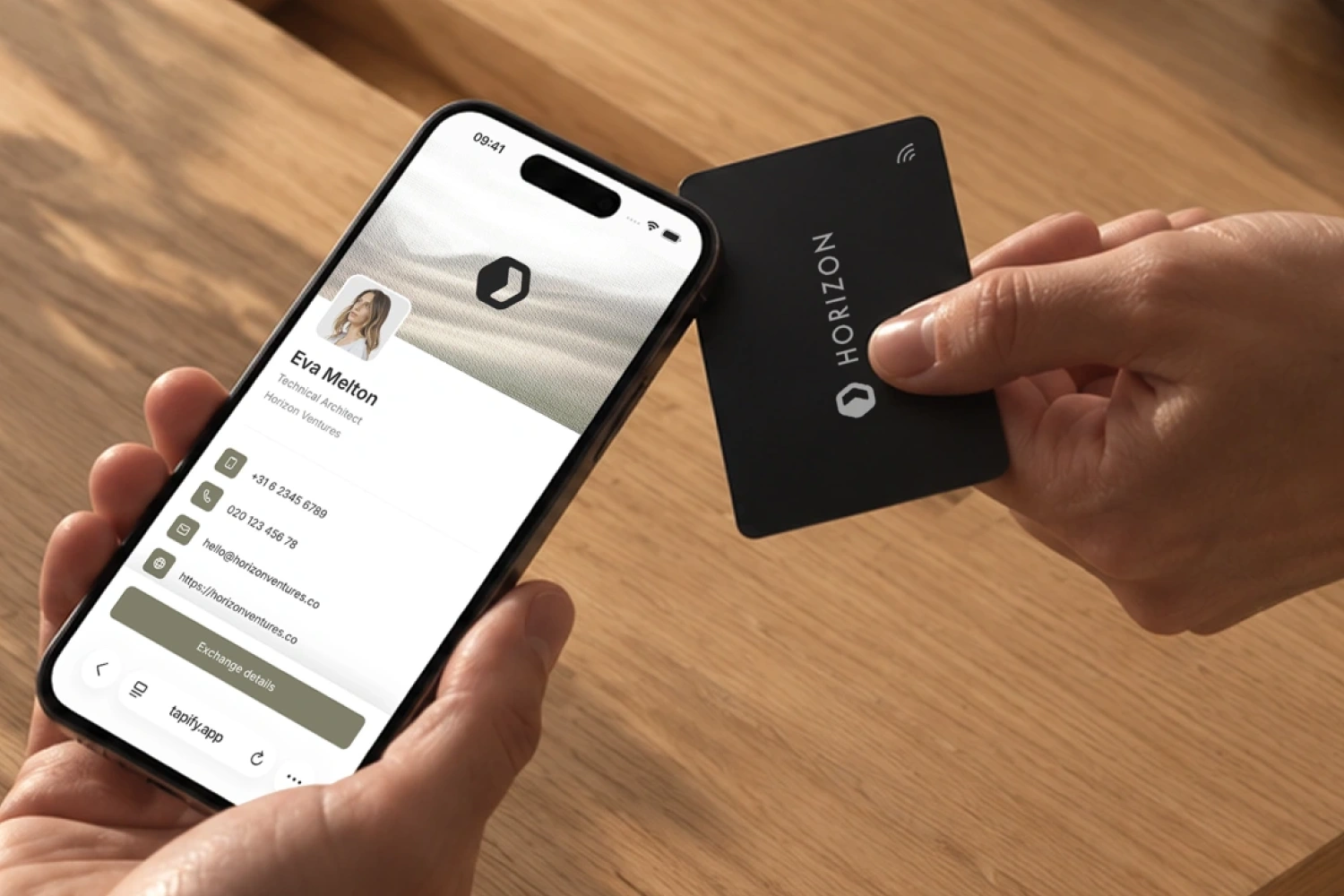
The printed QR code provides another way to open the same profile. The recipient's phone needs internet access for the full online card. If you want to leave something on a desk or hand over details without a phone, a printed card can still serve that purpose. Choose the physical format for the interaction while keeping your digital profile as the place you maintain your current information.
Turn introductions into organized team contacts
Receive details and keep the context
Sharing your card starts the exchange. When you agree to continue the conversation, invite the other person to send their details back through the form on your Tapify profile. You can then save a note about what you discussed and what you promised to send.
Make the note specific enough to help later. If someone is planning a team rollout, record the number of employees, the target date, and the question they wanted answered. Your follow-up can address that discussion directly instead of opening with a generic reminder that you met at an event.
You can also scan a paper business card or event badge in Tapify, review the details, and save the contact. This brings paper introductions into the same working routine. You don't need every person you meet to use a digital card before you can organize your own contacts digitally.
For an individual, the value is having the details and context available when it's time to respond. For a team, it also means deciding who should take the next step and making that handoff clear.
Manage cards and branding from one workspace
When a company gives employees business cards, someone has to maintain them. New hires need their details prepared. Marketing needs the branding to stay consistent. People change titles, offices, and responsibilities.
With Tapify Teams, admins can create and update employee cards, import members through CSV, organize groups, and apply shared brand kits. You also control which profile fields employees may edit. Marketing can maintain the company presentation while employees update the personal fields you've made available to them.
For a new hire, prepare the profile and send the invitation. For a brand update, change the shared branding on the connected cards. These become manageable tasks in the dashboard, with no need to collect separate print files for every employee.
This is a strong reason to choose digital for a company rollout: the card becomes something you maintain as part of the team, rather than another stock item to reorder whenever details change.
Choose Core or Connect around the job you need done
Teams Core covers central card management, employee administration, branding, and editing controls. It fits a company that wants current, consistent business cards across its staff.
Teams Connect adds shared contact management, ownership assignment, contact export, and additional contact reporting. Choose it when several colleagues capture contacts and your company needs a shared process for organizing and following up on them. Authorized admins can manage the contacts and assign ownership so the next step has a clear person responsible.
Connect also supports CRM workflows through Zapier, currently in beta, the workspace API, or CSV export. Select the route your CRM supports and configure the contact fields you want to transfer. This gives your team a way to connect new introductions to its existing sales or partnership process.
Deciding between the editions comes down to your working needs. Core handles the company card rollout. Connect adds the shared contact workflow around it. Both give you a centrally managed foundation for employee cards.
Compare the costs of paper and digital cards
Compare a year of use
The price of one printed card doesn't capture the full purchasing decision. For paper, include the initial design, printing, shipping, and any replacement batches. Think about how often employee details change and how much stock you tend to order at a time.
For digital, separate the software from optional physical cards. You can create and share a card with Tapify Free. Paid plans add capabilities for individuals or teams, while an NFC card is a separate one-time purchase. You can use a Tapify NFC card with Free, so physical sharing doesn't require a paid software subscription.
| Tapify option | How to budget for it |
|---|---|
| Personal digital card | Start with Free for your card and core sharing features. |
| Optional NFC card | Add the one-time card purchase and shipping if you want tap-to-share hardware. |
| Teams Core | Budget per member for central card and brand management. |
| Teams Connect | Budget per member for card management plus shared contacts and additional workflows. |
Teams offers monthly or yearly billing and has a five-member billing minimum. Physical NFC cards are purchased separately. Use the current Tapify pricing and checkout for the rates and taxes applicable to your team.
To compare options for a twelve-person team, price twelve software seats against the printed cards you expect those employees to use over a year. Add NFC cards separately if you want them. Include likely reorders for new hires and changed details on the paper side, so both options reflect the same period and headcount.
Then consider the work each option supports. Central updates, contact organization, and shared branding have practical value beyond the price of a card. A useful cost comparison shows both the spending and what your team gets for it.
Use your existing paper stock during the switch
You don't need to discard a current batch of paper cards to start using digital ones. Set up your profile and begin sharing it in new conversations. Use your remaining printed cards where a leave-behind is useful, and scan paper cards you receive into your contact workflow.
If you enjoy the physical handoff, Tapify NFC business cards let you keep that gesture while reusing the same card. Your online profile remains the destination you maintain, whichever sharing method you choose.
How to switch to digital business cards
-
Prepare the card for real use. Add your name, role, contact information, and branding. Open it on a phone and check that someone can find the details they need after meeting you. Keep the main purpose clear: helping that person recognize and reach you.
-
Set up your team's responsibilities. Decide who maintains company details and branding, which fields employees can edit, and whether you need shared contact management. Import members, prepare their cards, and send their invitations. These decisions give new colleagues a consistent starting point.
-
Make sharing a familiar action. Add the card to Wallet, keep the QR code ready, or carry an NFC card. Show colleagues what recipients see on their phones and how to ask someone to share details back through the contact form. Practice the exchange before your next event.
-
Build follow-up into the routine. Add a short note when a conversation has a clear next step. For a team, agree who handles each contact and how information reaches the right person. Start with a group that regularly meets customers, then use its feedback to refine the rollout.
Make your next introduction with Tapify
We recommend digital business cards for professionals and teams that want current profiles, flexible sharing, and organized follow-up. Tapify brings those tasks together, with optional NFC cards when you want a physical way to share.
Create your free Tapify digital business card and use it in your next conversation. You can add team management as your needs grow.